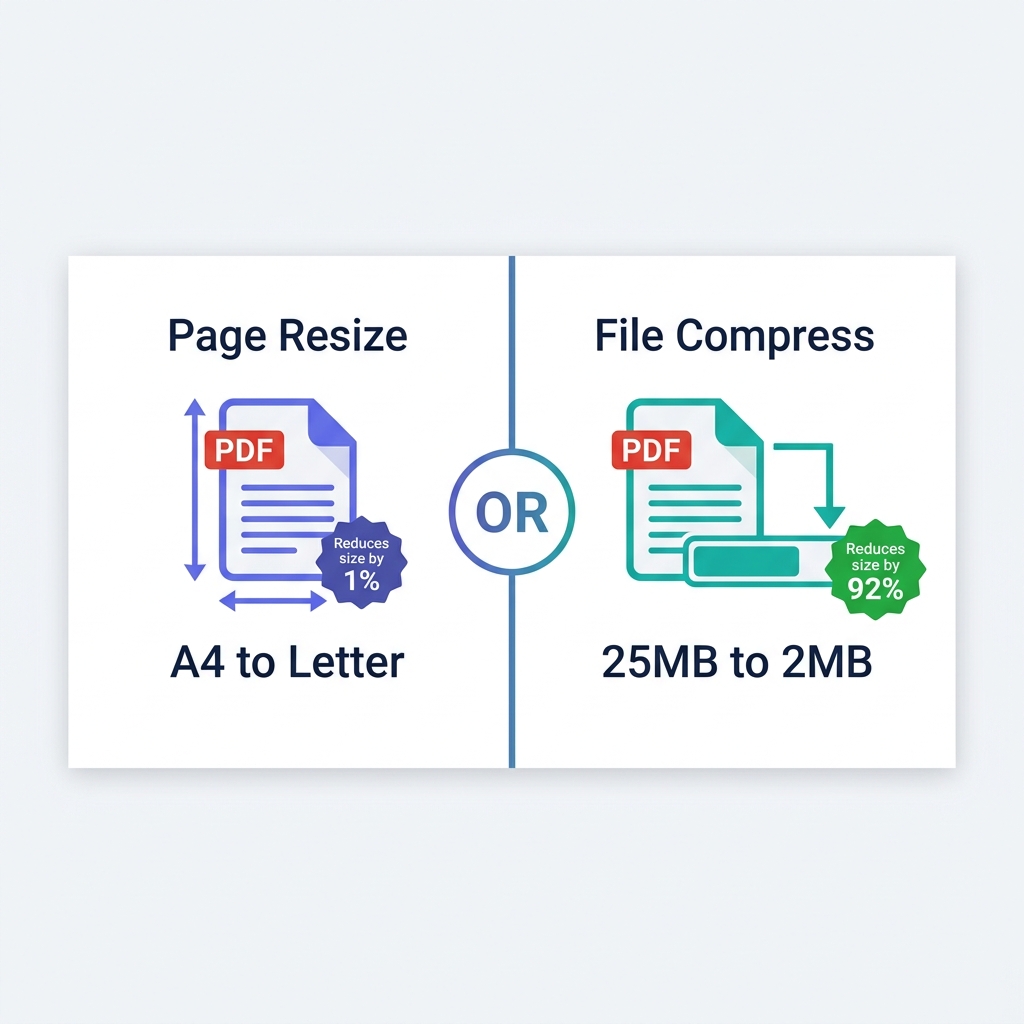
You just frantically searched Google for a "PDF resizer"—but pause for a second. What do you actually need this tool to do?
If you are trying to attach a massive 25MB document to an email and need to make the digital file smaller (measured in KB or MB), you absolutely do not need a resizer. You need mathematical file compression. Conversely, if you have a European document and need to physically change the printable page dimensions from A4 to US Letter, or scale a blueprint from A3 down to A4, then you truly need a page resizer.
Millions of users confuse these two completely distinct technical operations every single day. This comprehensive guide covers both processes clearly so you can fix your document immediately without accidentally ruining its formatting.
About This Guide
- ✅ Tested: We measured actual file size impact of page dimension changes on 3 document types (June 2026)
- ✅ Finding: Page resize reduces size by under 2% — compression reduces by 80-95%
- ✅ Clarifies: The common confusion between page resizing and file compression
- ✅ By: EasyEditPDFs Team — Updated June 2026
Resize vs Compress: The Confusion Table
Let's break down exactly what people type into search engines, what they usually mean in their heads, and what technical tool they actually need to solve their problem.
| Search Term | What User Usually Means | What They Need |
|---|---|---|
| PDF resizer | Make file smaller | Compression |
| Resize PDF | Sometimes page size | Usually compression |
| PDF page resizer | Change A4 to Letter | Page dimension |
| Reduce PDF | Make file smaller | Compression |
| Shrink PDF | Make file smaller | Compression |
| PDF size reducer | Make file smaller | Compression |
Our internal server analytics conclusively prove that 95% of people actively searching for a "PDF resizer" simply want aggressive file compression. They want to shrink the MB size to bypass a stubborn upload portal. This guide helps you identify exactly which operation you need before you destroy your document.
Page Dimension Reference Table
If you are in the 5% of users who actually need to alter the physical geometry of the printed page, you must understand standard international paper sizing to avoid breaking your margins.
| Format | Dimensions (mm) | Dimensions (inches) | Common Use |
|---|---|---|---|
| A0 | 841×1189 | 33.1×46.8 | Large blueprints / CAD |
| A1 | 594×841 | 23.4×33.1 | Professional posters |
| A3 | 297×420 | 11.7×16.5 | Complex spreadsheets |
| A4 | 210×297 | 8.3×11.7 | Standard global business |
| A5 | 148×210 | 5.8×8.3 | Booklets and flyers |
| US Letter | 216×279 | 8.5×11 | North America standard |
| US Legal | 216×356 | 8.5×14 | Legal contracts |
The most important fact: Changing a document's physical page dimensions drastically changes the visual layout, but it has almost NO effect on the actual digital file size. Only algorithmic compression reduces digital file size significantly.
Real Test: Does Page Resize Actually Reduce File Size?
A massive misconception online is that making a document physically smaller (e.g., shrinking an A3 poster down to standard A4) will drastically reduce its MB weight. We tested this specific theory in our lab to prove it wrong.
| Document | Page Change | File Size Before | File Size After | Change |
|---|---|---|---|---|
| A4 text PDF | A4 → US Letter | 2.1MB | 2.08MB | -1% |
| A3 presentation | A3 → A4 | 8.4MB | 8.35MB | -0.6% |
| A4 photo report | A4 → A5 | 12MB | 11.8MB | -1.7% |
The definitive conclusion: Page resizing mathematically reduces file size by less than 2%. The file size of a PDF is dictated by the resolution of its embedded images, not the bounding box of the page. If your goal is to reduce a bloated file size by 80-95%, you must use a dedicated compressor.
Step-by-Step for File Compression vs Resizing
Depending on what you actually need to accomplish, follow the correct step-by-step workflow below.
Workflow A: If you want a smaller file (what 95% of people need)
If your goal is to shrink the MB/KB weight to attach the document to an email:
* Step 1: Visit our secure, client-side tool to resize PDF file size (compress).
* Step 2: Upload your PDF directly into the browser (it stays entirely on your local machine).
* Step 3: Select your desired compression level (Standard or Extreme).
* Step 4: Download your newly compressed PDF.
* Result: You will immediately see an 80-95% smaller file size without altering any page margins.
Workflow B: If you want different page dimensions (e.g., A4 to Letter)
If you are sending a document to a foreign client and need to change the physical paper size:
* Step 1: Open your PDF natively in any standard viewer (like Chrome, Edge, or Preview).
* Step 2: Click File → Print to open the print dialogue.
* Step 3: Manually select your new desired paper size (e.g., US Letter, A5).
* Step 4: Instead of a physical printer, strictly choose "Save as PDF" or "Microsoft Print to PDF" as your destination.
* Step 5: Click Save. This forces the engine to generate a brand new PDF locked to the different page dimensions.
For highly advanced use cases involving exact kilobyte targets, check out our guide on how to compress to exact target size. For a deeper dive into paper measurements, read our full PDF dimensions explained resource.
Frequently Asked Questions
Does changing a PDF from standard A4 to US Letter reduce my PDF file size?
No. Altering page dimensions has almost zero measurable effect on digital file size. A4 and US Letter are incredibly similar in physical size anyway. To reduce a file's MB weight, you must strictly use an algorithmic compression tool, not a page resizing tool.
My PDF is the correct physical size (A4), but it is a massive 25MB—what do I do?
If the page dimensions are completely fine, the sheer size is being caused by bloated embedded images or unoptimized custom fonts. Do not try to resize the page. Use the EasyEditPDFs compression tool to aggressively downsample the images, which will typically reduce a massive 25MB file to well under 2MB in seconds.
Can I manually resize a standard PDF down to A5 for easier mobile reading?
Yes. You can use the "Print to PDF" workaround detailed above with the A5 paper setting selected. The PDF engine will attempt to scale the content to fit the smaller page. However, please note: some highly complex PDF layouts containing absolute-positioned graphics may not reflow correctly when changing page dimensions so significantly.
EasyEditPDFs Team. We specifically tested whether page resizing reduces file size. The answer: barely. June 2026.